Tag: neo4j

  • Toronto Elections data with Neo4j and Python part 3 of 3

    Toronto Elections data with Neo4j and Python part 3 of 3

    As the title suggests, this is the home stretch for my 3-part series on Neo4j and Python. This last bit is more Neo4j focussed, with Python doing most of the heavy lifting in the first two posts.

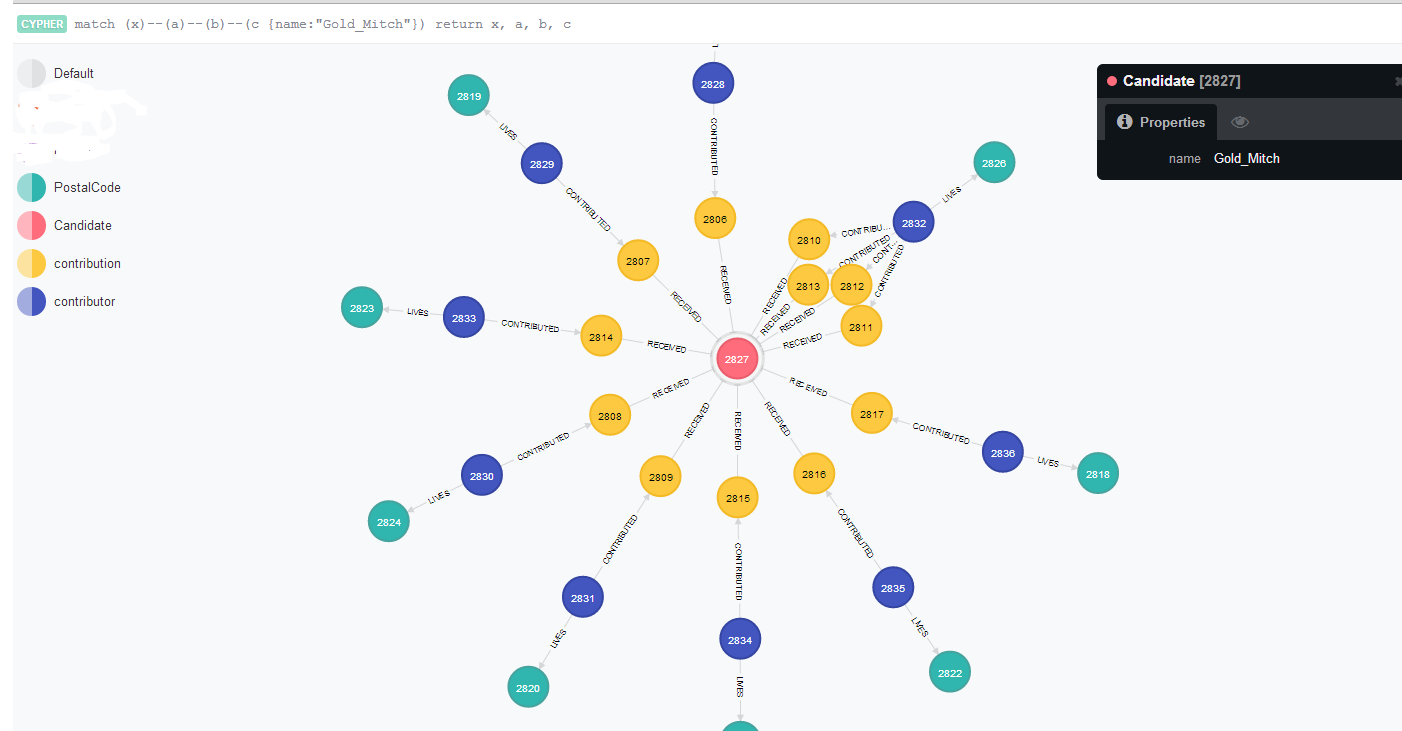
    Using a 2006 elections contribution dataset, I’ve loaded into Neo4j (2.0 Community Edition) the candidates, contributions, contributor names, postal codes. Additionally, I tried to get the distance between the postal codes for some geocoding. Now to try a few simple queries to test this out.

    The first one, is to see the top number of contributors by postal code, who they are and how much they contributed. In a normalized key-value schema this could be a number of joins, not to mention the added complication of ‘rolling up’ everyone’s names into one field. It can be done, but using Cypher, I found it a little cleaner. The use case for this is a candidate who might want to hit a large number of postal codes very efficiently in order to get the most potential donors and the most dollar amounts.

    Here is the query, and I’ll break it all down subsequently.

    MATCH (x:contribution)--(n:contributor)--(p:PostalCode) return distinct p.p_name AS Postal_Code, collect(DISTINCT n.contributor_name) AS List, sum(x.amount) AS Total_Contribution, count(DISTINCT n.contributor_name) AS Number_Contributors ORDER BY count(DISTINCT n.contributor_name) DESC LIMIT 500

    So the first match is to get the relationships between contributions to contributors all the way through to postal codes (“MATCH (x:contribution)--(n:contributor)--(p:PostalCode)“).

    The second part is returning what I want from that set of nodes:

    • p.p_name AS Postal_Code
    • collect(DISTINCT n.contributor_name) (I need the distinct, otherwise contributor names were double-counting if they contributed more than once.)
    • the total contribution for that postal code (sum(x.amount) AS Total_Contribution)
    • and finally the total number of contributors, which I order in descending order.

    contributorList1_Neo4j_part3

    That’s all well-and-good but what if I wanted to know what candidate they contributed to? Simple, I just add a Candidate node and pull candidate_name like the following:

    MATCH (can:Candidate)--(x:contribution)--(n:contributor)--(p:PostalCode) return distinct can.candidate_name, p.p_name AS Postal_Code, collect(DISTINCT n.contributor_name) AS List, sum(x.amount) AS Total_Contribution, count(DISTINCT n.contributor_name) AS Number_Contributors ORDER BY count(DISTINCT n.contributor_name) DESC LIMIT 500

    For fun, let’s see if there were any “divided” areas. That means areas that were hotly contested by two or more candidates. I used a similar ‘match’ statement, but instead returned a list of postal codes and candidates.

    MATCH (can:Candidate)--(x:contribution)--(n:contributor)--(p:PostalCode) return distinct p.p_name as Postal_Code, collect(Distinct can.candidate_name), count(Distinct can.candidate_name) AS Number_of_contributions ORDER BY count(Distinct can.candidate_name) DESC LIMIT 500

    I’d love to see the lawn signs in this neighborhood 🙂

    contributorList2_Neo4j_part3

  • Toronto Elections data with Neo4j and Python part 2 of 3

    In my last post, I took some campaign contribution data and plugged it into Neo4j using a sweet Python plugin called py2neo. Now we’re going to take that same graph and give it some added value, namely flesh out the geospatial aspect of it.

    Getting back to the example from last time, if you take a nice close look, you’ll see that there are postal codes. What’s missing?

    neo4j_elections_output

    ….that’s right: You have all these postal codes, but you can’t really do that much with them because you don’t have any distances between them. If you want to do any analysis around concentrations of neighborhoods, or if you are a candidate and want to save on travel time, it’s really hard to do the way it is, now. So let’s add some distance data between the postal codes and add it to our graphs.

    I decided to use the MapQuest API for this, mainly because the plugin (mapq for Python) is dead easy to get going. Unfortunately, I got some wonky results, probably because I didn’t have complete address data. If I was going to do this “for real” I would probably get better address data or use a plugin that can handle incomplete postal codes better.

    The steps are as follows (after you’ve created the graph, natch):

    1. Get your MapQuest API key
    2. Get a unique list of postal codes
    3. Loop through each postal code, getting the province and city data, if available
    4. For each postal code, get the longitude and latitude using the MapQuest API
    5. Using itertools, get all the combinations of coordinates, getting the distance for each
    6. Feed the distances for each combination into Neo4j

    Part 3 of this series is going to do some analysis using Cypher, but for now, let’s get the data loaded!

    import csv
    import py2neo
    from py2neo import neo4j, node, rel #this is a handy add-in for working with Neo4j
    import mapq
    import time ## Optional. Add this if you want to create a delay on the API call
    import itertools
    mapq.key('xxxxxxxxxxxxxxxxxxxxxxx')
    source = 'C:\Users\jlalonde\Documents\personal\elections\\tblMayor.csv' #obviously you want to adjust your path to suit what you need
    codes = [] #this is your list of postal codes
    coordinates = [] #this will be the postal codes, plus lat-lon
    distances = [] # this will be the final list of postal codes plus distances from one another
    fs = ['K','L','M','N'] #these will help to filter on Ontario postal codes
    x = 0
    with open(source, 'rb') as csvfile:
    #for this loop you just need unique postal codes. Let's do it!
    s = csv.reader(csvfile, delimiter=';')
    for row in s:
    #row[2] is the address, but it is not filled out most of the time
    #row[3] is the contributor postal code
    if row[11] == 'Gold, Mitch': #I'm just using Mitch Gold the candidate for this example.
    codes.append([row[3], row[2]])
    codes.sort()
    # print codes
    codes_unique = list(codes)
    codes_unique.sort()
    for p in codes_unique:
    if p[0][:1] in fs:#this is to distinguish between Ontario and Quebec
    prov = ', Ontario, '
    else:
    prov = ', Quebec, '
    if len(p[1]) > 1: #this asks if there is address data
    c = p[1].split(', ')
    city = ', ' + str(c[-1]) #if there is append the city
    else:
    city = '' #otherwise, leave this blank
    m = str(p[0]) + city + prov + 'Canada' #you are creating the
    # print m
    if x < 50: t = mapq.latlng(m) single = [p[0], t.get('lat'), t.get('lng')] coordinates.append(single) x = x + 1 #time.sleep(1) #a one-second delay for pinging mapquest API combinations = list(itertools.combinations(coordinates, 2)) print combinations

    Up until this point you now have all the possible combinations of postal codes, along with their longitude and latitude. Next up is to get the distances and then plug them in. FYI a BIG thank you and shout out to Michael0x2a for his code on StackExchange on distances.

    from math import sin, cos, sqrt, atan2, radians
    graph_db = neo4j.GraphDatabaseService()
    R = 6373.0
    for i in combinations:
    if i[0][0] != i[1][0]:
    lat1 = radians(i[0][1])
    lon1 = radians(i[0][2])
    lat2 = radians(i[1][1])
    lon2 = radians(i[1][2])
    dlon = lon2 - lon1
    dlat = lat2 - lat1
    a = (sin(dlat/2))**2 + cos(lat1) * cos(lat2) * (sin(dlon/2))**2
    c = 2 * atan2(sqrt(a), sqrt(1-a))
    distance = R * c
    #print "Result of ", str(i[0][0]), " to ", str(i[1][0]), " is ", str(distance) # from here you can see some distances are zero, which means bad data.
    #my guess is the Mapquest API is having a hard time with just postal codes being thrown at it.
    string2 = 'MATCH (p1 {p_name: "' + i[0][0] +'"}), (p2 {p_name: "' + i[1][0] + '"})'
    string2 = string2 + ' CREATE UNIQUE p1-[:ADJ {distance: ' + str(distance) + '}]->p2'
    print string2
    query2 = neo4j.CypherQuery(graph_db, string2)
    go2 = query2.execute()

    Below is Mitch Gold's campaign contributions, but this time with the adjacencies between the different postal codes.
    neo4j_elections_withAdjacency

    ...and here are just the postal codes using MATCH a-[:ADJ]->b RETURN a, b
    neo4j_elections_pCodes